

A local network breaks down in small, frustrating ways before anyone calls it broken.
Someone cannot find the intake form. A volunteer is stuck inside a city portal. A neighborhood organizer needs help updating a shared map. A mutual aid coordinator has the right spreadsheet open but the wrong person on the phone. Everyone is willing. The work still stalls.
Teams think the problem is screen sharing local networks need better video tools. The real problem is that local coordination needs a safe operating model for who can see what, who can control what, what gets decided, and how the follow-up moves through the network.
That changes the conversation. Screen sharing is not just a support feature. In a local network, it becomes a routing layer for attention, trust, access, troubleshooting, training, and handoff. If you treat it casually, it creates privacy leaks and support debt. If you design it like infrastructure, it shortens loops between asks, offers, and action.
Table of contents
- What Screen Sharing Local Networks Really Means
- Where Screen Sharing Fits in a Local Network
- Design the Session Workflow Before Choosing Tools
- Set Trust and Permission Boundaries
- Build for Low-Bandwidth and Mixed-Device Reality
- Use Screen Sharing for Routing Asks and Offers
- Common Failure Modes in Local Screen Sharing
- Security and Privacy Controls That Actually Matter
- Measure Whether Screen Sharing Local Networks Improve Coordination
- Product Fit: How d0rz.com Should Think About Screen Sharing
What Screen Sharing Local Networks Really Means

The tool is not the workflow
The mistake teams make is starting with the software menu: Which app has the cleanest screen share? Which one supports remote control? Which one is free? Those questions matter, but they are second-order.
The practical question is: what local coordination problem are you trying to make observable?
In a local network, screen sharing usually appears when text is not enough. A resident cannot describe the form. A volunteer cannot explain the database state. A community lead needs to show where requests are getting stuck. The screen becomes a shared surface where people can point, verify, decide, and move.
A useful way to think about it is this: screen sharing is temporary shared context. It lets two or more people look at the same operational object at the same time. That object might be a map, a spreadsheet, a case note, a shared calendar, a benefits portal, a repair request, a budget tracker, or a dispatch board.
If the network has no rules around that shared context, every session becomes improvised support. If it has rules, screen sharing becomes a repeatable coordination pattern.
Why this matters more in 2026
Local networks are becoming more operational. Community builders are no longer only hosting events or running chat groups. They are coordinating childcare swaps, mutual aid routing, neighborhood safety updates, tool libraries, local commerce, disaster response, and volunteer dispatch.
That work crosses platforms. People use phones, laptops, municipal systems, spreadsheets, messaging apps, payment tools, maps, and forms. The interface changes constantly. The work still needs continuity.
Screen sharing local networks solve a real coordination gap when they are designed carefully. They let experienced operators help newer participants move through a process without taking over the whole relationship. They also let network leaders see where processes are unclear.
Practical rule: Use screen sharing when the problem is shared context, not when the problem is simply missing documentation.
Documentation is still cheaper than live help. But documentation cannot always handle ambiguity, urgency, trust-building, or one-off local constraints. That is where a live shared screen earns its place.
This guest contribution draws on remote collaboration patterns from the team at pairux.com, adapted here for local networks where participation, trust, and follow-up matter as much as the session itself.
Where Screen Sharing Fits in a Local Network
The four jobs it actually does
Screen sharing has four practical jobs in a community operating system.
First, it diagnoses. Instead of asking someone to describe a broken workflow, the operator can see the exact state: the missing button, the wrong browser tab, the rejected upload, the confusing field, the duplicate request.
Second, it teaches. A facilitator can walk a participant through a process once, narrate the reasoning, and leave them more capable next time.
Third, it verifies. In sensitive local coordination, people need to confirm facts without forwarding screenshots into permanent channels. A live screen can verify enough to route the work while minimizing copies.
Fourth, it hands off. A neighborhood organizer can show a new lead where the task queue lives, which requests are urgent, and what changed since the last meeting.
Those jobs are different. If you do not distinguish them, you will over-record, over-control, and over-invite.
| Use case | Primary job | Who should lead | Risk if unmanaged |
|---|---|---|---|
| Help filling a form | Diagnose and teach | Trained helper | Private data exposure |
| Volunteer onboarding | Teach and hand off | Team lead | Inconsistent process |
| Local dispatch review | Verify and route | Network operator | Wrong prioritization |
| Shared map update | Hand off and verify | Project steward | Conflicting edits |
| Resident tech support | Diagnose | Trusted support person | Accidental remote control |
The table is simple, but it changes behavior. You stop asking, “Can we share screens?” and start asking, “What job is this session doing?”
When not to use it
Screen sharing is not the right answer for every coordination gap.
Do not use it when a written checklist would solve the problem for many people. Do not use it when the person sharing is likely to expose sensitive information they do not understand. Do not use it when the session is really a governance decision that needs notes, quorum, or transparent voting. Do not use it when participants are under pressure and cannot meaningfully consent.
What breaks in practice is that screen sharing feels efficient in the moment but hides process defects. If five people need the same live walkthrough every week, the network does not have a screen sharing problem. It has a training, interface, or routing problem.
Practical rule: Any repeated screen share should produce an artifact: a checklist, a template, a process change, or a clearer routing rule.
Design the Session Workflow Before Choosing Tools
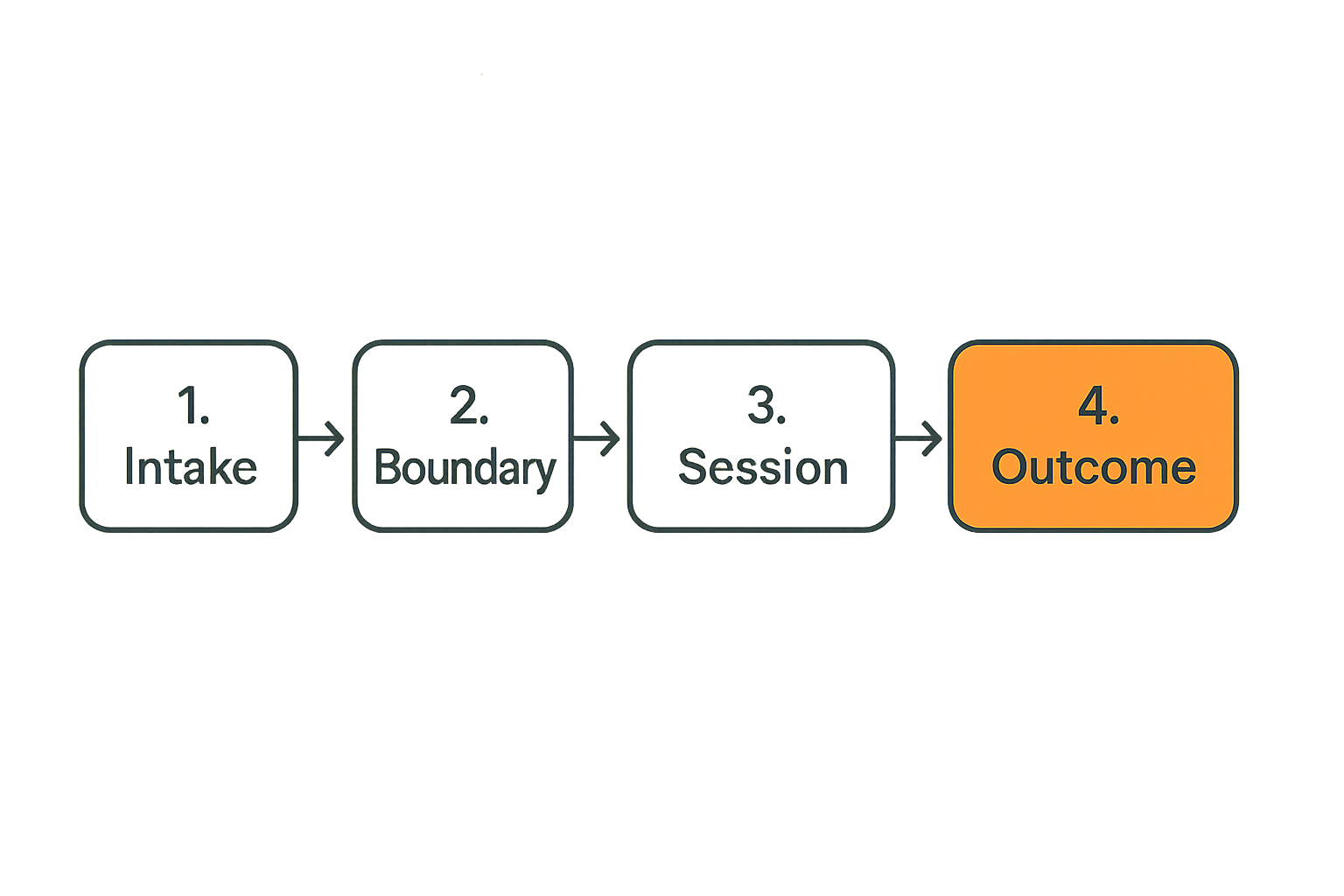
A repeatable five-step session model
Local networks need repeatable rituals more than perfect software. A good screen sharing session has a beginning, middle, end, and afterlife.
Use a lightweight workflow:
- Intake the ask. Capture who needs help, what outcome they want, what system is involved, and whether sensitive information may appear.
- Set the boundary. Confirm whether this is view-only, guided navigation, or remote control. Name who is present and why.
- Run the session. Keep narration active. Say what is being looked at, what decision is being made, and what should not be shared.
- Capture the outcome. Record the result in the network system, not only in the chat. Was the form submitted? Was the offer routed? Was the blocker identified?
- Assign follow-up. Create the next action, owner, and time window. If no follow-up exists, explicitly close the loop.
This is not bureaucracy. It is how local networks prevent live help from becoming invisible labor.
What the facilitator owns
The facilitator is not just the person who knows where the button is. They own the safety and shape of the session.
They should decide whether screen sharing is appropriate, keep the session on task, stop the session if sensitive data appears, summarize the outcome, and make sure follow-up enters the normal network workflow.
In a mature local network, facilitation is a role. It can be held by a volunteer, organizer, dispatcher, technical steward, or project lead. The title matters less than the responsibility.
The mistake teams make is letting the most technical person automatically become the facilitator. Technical skill helps, but facilitation requires judgment about trust, consent, local context, and escalation.
Practical rule: The person controlling the session should not be the only person accountable for the outcome.
For higher-risk sessions, separate roles: one person facilitates, one person performs the technical action, and one person owns the community follow-up. Small networks may combine roles, but they should still name them.
Set Trust and Permission Boundaries
Viewing is different from control
A shared screen is not the same thing as shared control. Local networks should treat these as separate permission levels.
View-only means the helper can see the screen and talk the participant through steps. Guided control means the participant drives but follows instructions. Remote control means the helper can move the cursor, type, click, or change settings.
Remote control is powerful, but it changes the trust model. The helper may accidentally submit something, reveal something, or make a change the participant does not understand. In local community settings, the relationship damage from a mistake can be larger than the technical error.
A practical permission model looks like this:
| Mode | Best for | Allowed actions | Avoid when |
|---|---|---|---|
| View-only | Diagnosis, teaching | Observe, point, narrate | Urgent action requires typing |
| Guided navigation | Forms, onboarding | Participant clicks, helper guides | Participant is confused or rushed |
| Remote control | Technical repair, admin setup | Helper clicks or types with consent | Personal, legal, health, or financial data is visible |
| Co-browsing in shared account | Team operations | Multiple operators work on same system | Ownership or audit trail is unclear |
The default should be view-only. Escalate only when the work requires it.
Consent should be operational, not ceremonial
Consent is not a sentence at the start of a call. It is an operating condition that can change during the session.
A participant may consent to share a browser tab, then realize their email inbox is visible. A volunteer may agree to remote control, then become uncomfortable when a password prompt appears. A facilitator may discover that another household member’s information is on screen.
Good local operators build pauses into the session:
- Before sharing starts: “What will be visible?”
- Before switching windows: “Is there anything private in the next screen?”
- Before remote control: “Do you want me to take control, or should I talk you through it?”
- Before submission: “Are you ready for this to be sent?”
- Before recording or screenshots: “What exactly are we saving, and where will it go?”
What fails is passive consent. People click “share” because they want help, not because they understand the exposure. The facilitator has to slow the moment down.
Build for Low-Bandwidth and Mixed-Device Reality
Design for the weakest connection
Local networks do not run on perfect office setups. People join from older phones, borrowed laptops, library Wi-Fi, mobile hotspots, shared household devices, and noisy rooms.
If your screen sharing process assumes everyone has a large monitor and stable fiber connection, it will exclude exactly the people who need the network most.
Design for the weakest connection:
- Prefer sharing one window or tab instead of the full desktop.
- Use large cursor movement and verbal narration.
- Avoid tiny spreadsheet cells as the main interface during live sessions.
- Keep backup instructions in plain text.
- Ask participants to close unnecessary apps before sharing.
- Keep sessions shorter than the connection can realistically support.
The operator mindset is simple: the session should degrade gracefully. If video fails, audio continues. If audio fails, chat continues. If live sharing fails, screenshots or step-by-step text can carry the work.
Have an offline fallback
Every screen sharing local networks plan needs a fallback that does not depend on the screen share.
That fallback might be a phone call, a printed checklist, a local drop-in session, a trusted neighbor helper, or a delayed review of redacted screenshots. The point is not to duplicate every workflow. The point is to prevent one fragile tool from becoming the only path to help.
Offline fallback also matters for dignity. Some people will not want to expose their screen. Some cannot install software. Some share devices with family members. Some are navigating issues where privacy is not optional.
A network that can only help through screen sharing is not resilient. A network that uses screen sharing as one route among several can serve more people without forcing everyone into the same interaction model.
Use Screen Sharing for Routing Asks and Offers
Turn confusion into structured tickets
Local networks run on asks and offers. Someone needs help. Someone else has capacity. The hard part is routing the right help to the right place at the right time.
Screen sharing can improve routing when it captures the actual blocker. Instead of “I need help with housing paperwork,” the network can learn: “The applicant has the documents but cannot upload a file under 5MB from a phone.” That is a different ask. It routes to a different helper.
Operators should translate live confusion into structured fields:
- Person or group requesting help
- System or process involved
- Current state
- Blocker observed
- Sensitivity level
- Next action
- Owner
- Deadline or urgency
This turns a live session into network memory. The person does not have to retell the story. The next helper does not start from zero.
Use live sessions to teach the network
A good screen share helps one person. A great one improves the network.
If multiple participants hit the same blocker, the network should change something: create a guide, recruit a specialist, update an intake question, pre-check documents, host a training hour, or simplify a local process.
This is where screen sharing becomes operational intelligence. You are not just fixing one screen. You are observing where the network’s coordination layer is unclear.
The practical question is: how does what we learned in this session become visible to future coordinators?
That does not require heavy tooling. It requires discipline. After each meaningful session, the facilitator should capture one of three outputs:
- A resolved case note.
- A reusable process improvement.
- An escalation to someone with authority to change the workflow.
Without that, live help evaporates.
Common Failure Modes in Local Screen Sharing
What works
What works is boring and repeatable.
Clear intake works. Named facilitators work. View-only defaults work. Short sessions work. Visible follow-up works. Plain-language narration works. A second person on sensitive sessions works. Shared notes work. Local escalation paths work.
Good operators also standardize the first minute and the last minute of every session. The first minute sets scope. The last minute confirms outcome.
Example opening:
“Today we are looking only at the volunteer signup dashboard. I will not take control unless you ask me to. If anything private appears, we will pause.”
Example closing:
“We confirmed the signup is complete, the background check is still pending, and Maya owns the follow-up by Friday. I’m adding that to the network queue now.”
Those scripts may feel stiff at first. In production, they reduce ambiguity.
What fails
What fails is improvisation disguised as helpfulness.
The most common failure modes are predictable:
- Helpers ask participants to share their whole desktop.
- Sessions start without naming who is present.
- Remote control is used because it is faster, not because it is necessary.
- Sensitive information appears and nobody knows whether to stop.
- The outcome stays in the facilitator’s memory.
- Screenshots are saved in personal folders.
- Follow-up happens in private messages instead of the network workflow.
- The same issue repeats because nobody turns it into documentation or routing logic.
What breaks in practice is trust. People may not complain immediately. They simply stop asking for help, stop referring neighbors, or route around the network through private relationships. That is expensive because local networks depend on repeated participation.
The fix is not to ban screen sharing. The fix is to make the operating model explicit enough that people know what will happen before they expose their screen.
Security and Privacy Controls That Actually Matter
Protect local trust before data
Security language can become abstract fast. Local networks need a more grounded version: protect the person, the relationship, and the continuity of participation.
That includes data protection, but it is bigger than data. A participant may expose immigration status, household finances, medical details, workplace information, family conflict, legal documents, or private messages. Even if no file is stolen, mishandling that context can damage trust.
Minimum controls should include:
- Do not share full desktop by default.
- Do not record by default.
- Do not request passwords on screen.
- Do not store screenshots unless there is a named reason.
- Do not let uninvited observers remain in a session.
- Do not move sensitive follow-up into personal chats.
- Do not use remote control for personal accounts unless absolutely necessary.
Practical rule: If the session would be uncomfortable to explain afterward, the boundary was probably too loose.
This does not mean every session needs a legal review. It means operators should build habits that match the sensitivity of local coordination.
Recordings are liabilities by default
Recording is tempting because it feels like documentation. In local networks, recordings often create more risk than value.
A recording captures everything: visible tabs, names, notifications, side comments, accidental disclosures, and moments of confusion. It can be shared out of context. It can live longer than the relationship that created it. It can also discourage honest participation.
Use written outcomes instead of recordings whenever possible. If a recording is necessary for training or accountability, define the retention period, storage location, access list, and deletion owner before recording starts.
The same applies to screenshots. A screenshot can be useful for diagnosing a system error, but it should be cropped, redacted, named, stored, and deleted with intention.
Local trust is cumulative. Small privacy shortcuts add up.
Measure Whether Screen Sharing Local Networks Improve Coordination
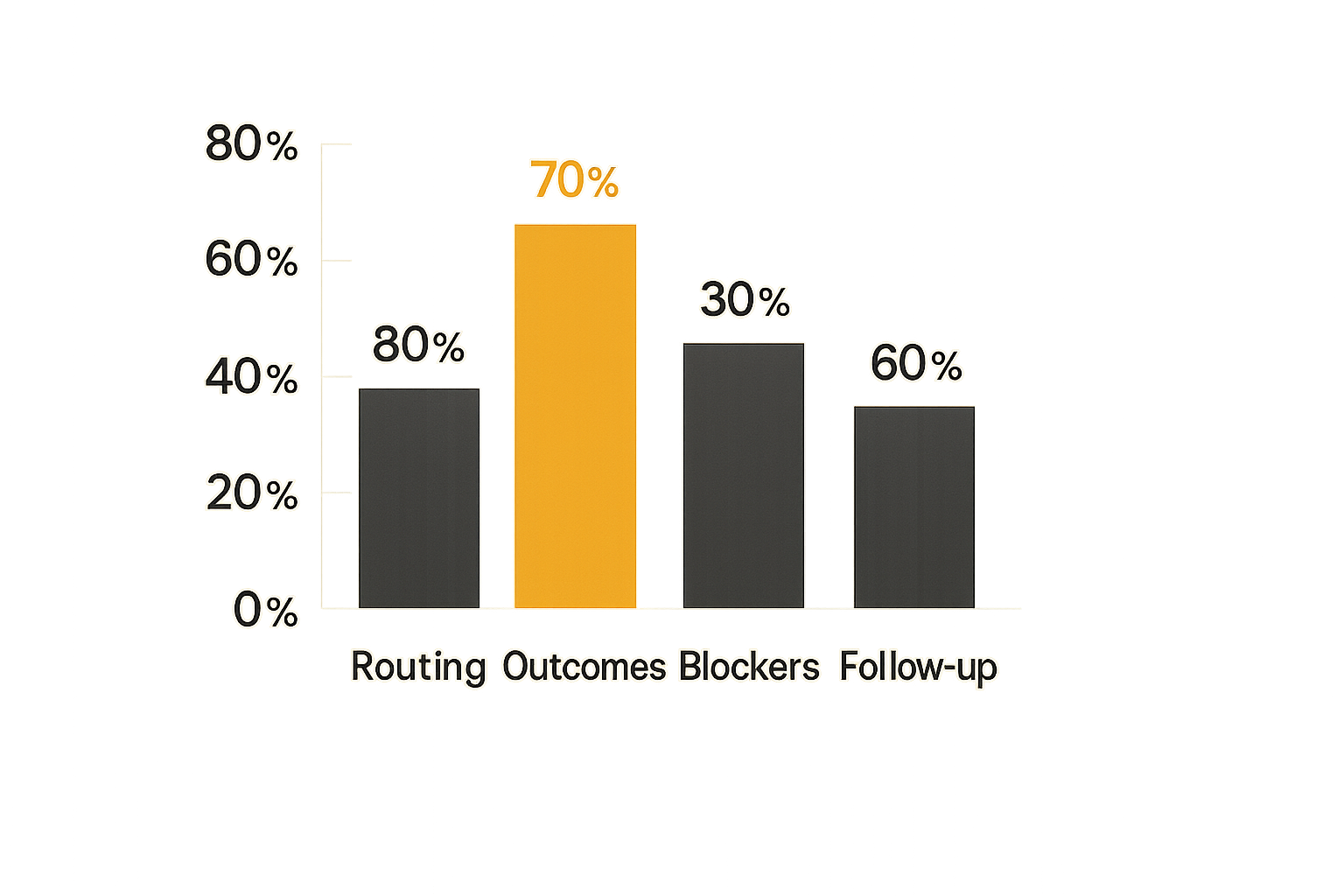
Operational metrics to watch
Screen sharing local networks should improve coordination, not just create more meetings. Track whether sessions reduce friction in the network.
Useful metrics include:
- Time from ask to first useful help
- Percentage of sessions with a captured outcome
- Repeat issues by process or tool
- Number of sessions requiring remote control
- Number of sessions converted into documentation
- Follow-up completion rate
- Escalations caused by unclear ownership
Do not over-measure small volunteer teams. Pick a few signals that reveal whether the workflow is working.
A simple monthly review can be enough:
| Metric | Healthy signal | Warning signal |
|---|---|---|
| Ask-to-help time | People get routed quickly | Requests sit in chat threads |
| Captured outcomes | Most sessions leave notes | Nobody knows what happened |
| Repeat blockers | Common issues decline | Same walkthrough repeats weekly |
| Remote control use | Rare and justified | Used as default shortcut |
| Follow-up completion | Owners and dates are clear | Tasks disappear after calls |
The goal is not analytics theater. The goal is to see where coordination is leaking.
Qualitative signals matter too
Some of the most important signals are not numeric.
Listen for phrases like:
- “I do not know who should help with this.”
- “We already fixed this for someone else.”
- “Can you just take over my screen?”
- “I am not comfortable showing that.”
- “Who is following up?”
- “I thought that was handled.”
These are not side comments. They are operational signals. They tell you where the network’s trust, routing, and ownership are unclear.
A good review question is: did this screen share make the next similar request easier?
If yes, the session improved the network. If no, it may still have helped one person, but the network did not learn.
Product Fit: How d0rz.com Should Think About Screen Sharing
Connect the session to the relationship graph
For d0rz.com’s audience, the interesting opportunity is not building yet another video button. It is connecting screen sharing to the local relationship graph: asks, offers, trust, routing, ownership, and follow-up.
A local operator does not only need to know that a session happened. They need to know why it happened, who was involved, what role each person played, what was decided, what is sensitive, and what should happen next.
That means screen sharing metadata matters:
- Related ask or offer
- Facilitator
- Participant
- Permission mode
- Sensitivity level
- Outcome
- Follow-up owner
- Due date
- Reusable lesson
This is how screen sharing becomes part of coordination infrastructure instead of another disconnected meeting.
The product pattern is straightforward: start from the local object, not the call. If the object is an ask, the session should attach to that ask. If the object is a volunteer handoff, the session should attach to that handoff. If the object is a neighborhood project, the session should leave an update there.
Make follow-up the default outcome
The mistake teams make is treating the end of the call as the end of the work. In local networks, the end of the call is where the coordination system has to take over.
A useful screen sharing integration should make it hard to leave without answering:
- What changed?
- Who owns the next action?
- Who needs to be notified?
- Is this issue reusable as guidance?
- Does anything need to be escalated?
- Should any temporary access be revoked?
That changes the conversation from “we helped someone on a call” to “we moved a local request through the network.”
For community builders, that distinction matters. Participation becomes reliable when people can trust that live moments turn into visible commitments.
Screen sharing local networks is not a feature checklist. It is an operating model for making local coordination observable, safe, and repeatable.
Try d0rz.com
Build practical local networks where asks, offers, trust, routing, and follow-up become coordination infrastructure. Try d0rz.com for screen sharing local networks that need to turn participation into reliable action.